Enter your email address below.
8 min read...
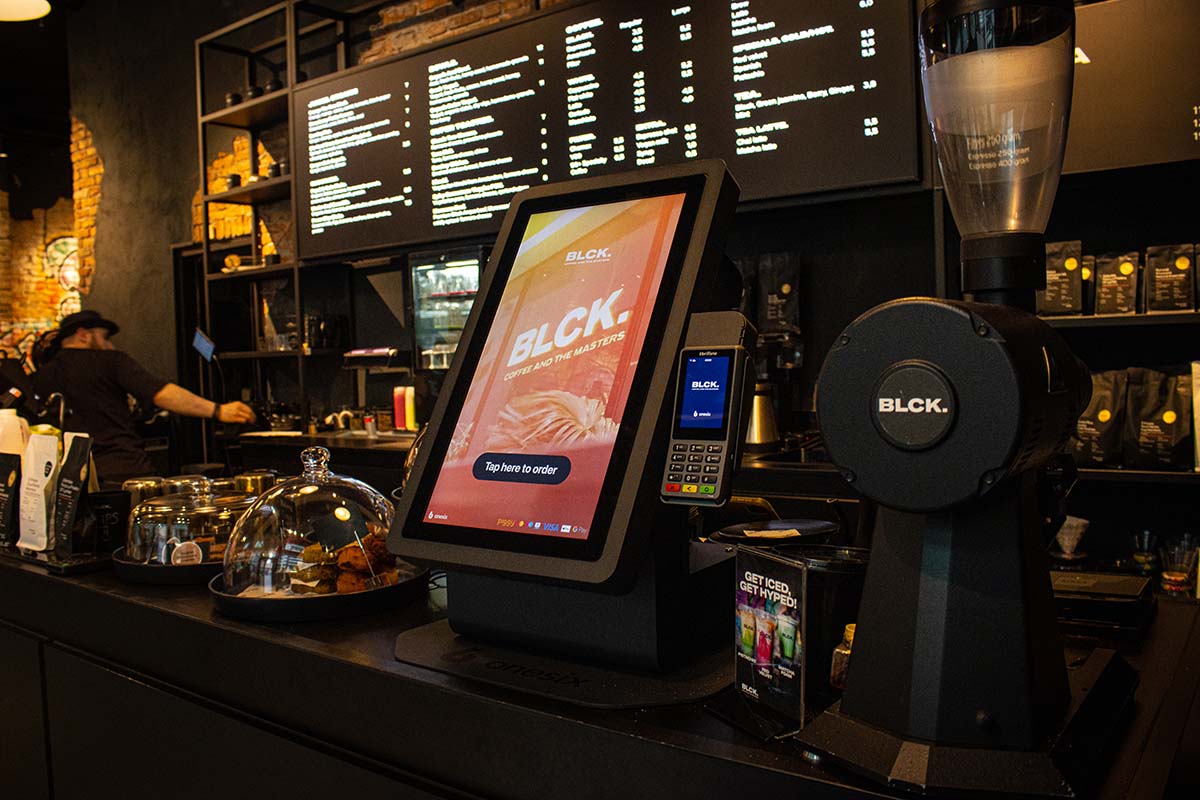
A guide for restaurant owners on how to choose the right self-order kiosk using 8 clear criteria — from budget and POS integration to ease of use, upselling, and data insights — to boost revenue, reduce costs, and improve the customer experience.
As a restaurant owner, you face an important decision: which self-order kiosk is the best fit for your hospitality business? With so many providers and models on the market, this choice can seem overwhelming. The right self-order kiosk can increase your revenue by more than 20%, reduce your staffing costs, and significantly improve the customer experience. The wrong choice, on the other hand, can lead to frustrated guests and missed opportunities. In this article, you will discover the eight most important criteria for finding the perfect self-order kiosk for your restaurant, snack bar, or fast-food chain.
The costs for a self-order kiosk vary enormously, from approximately EUR 2,500 for a basic model to EUR 15,000 for a fully equipped professional kiosk. Before you start comparing, it is crucial to establish a clear budget.
Purchasing options to consider:
Do not forget to factor in maintenance costs, software licences, and potential integrations with your existing POS system alongside the purchase price. A complete cost estimate prevents surprises later and helps you make the most profitable choice.
A self-order kiosk is only as good as the software it runs on. The most important question is: does the kiosk work seamlessly with your current POS system? Poor integration leads to double work, order errors, and frustrated employees.
Essential integration points:
Always request a demonstration in which the supplier shows how the self-order kiosk integrates with your specific systems. The best providers offer API connections that ensure smooth data exchange without manual intervention.
A self-order kiosk that is too complicated defeats its purpose. Your guests should be able to understand how to place their order within seconds, regardless of their age or technical skills.
Features of a user-friendly self-order kiosk:
Test the user interface yourself during a demo and ask employees or regular customers for their opinion. An intuitive design ensures that guests order confidently without help from staff, maximising efficiency.
One of the biggest advantages of a self-order kiosk is automatically increasing the average order value. By showing suggestions at the right moment, you can significantly grow your revenue without additional staff.
Effective upselling strategies in self-order kiosks:
Modern self-order kiosks like the Onesix Kiosk are specifically designed with intelligent upselling algorithms that increase the order value by an average of more than 20%. These systems analyse ordering patterns and adapt their suggestions accordingly, so each guest receives relevant recommendations that genuinely match their preferences.
In today’s payment landscape, customers expect freedom of choice in how they pay. A self-order kiosk that only accepts one or two payment methods may lose orders.
Must-have payment options:
Beyond diversity, security is crucial. Verify that the self-order kiosk is PCI-DSS certified for secure payment processing. Customers must be able to trust that their financial data is protected; otherwise, they will fall back on traditional ordering methods at the counter.
Self-order kiosks come in various sizes and configurations. The right choice depends on the available space in your business and the traffic flow of your guests.
Popular self-order kiosk formats:
Consider where the most customer traffic occurs in your business. Place the self-order kiosks at strategic locations where they are immediately visible upon entry but do not block the passage. For busy hospitality establishments, two or more kiosks are often needed to prevent queues during peak hours.
Even the best technology can experience malfunctions, especially during your busiest moments. That is why reliable customer support is not a luxury but a necessity.
Essential support aspects:
Ask potential suppliers for concrete examples of how they handle emergencies. Also read reviews from existing customers about their experiences with customer service. A supplier that provides fast and effective support, like Onesix with their 24/7 service via various channels, prevents a technical problem from damaging your revenue.
An advanced self-order kiosk is more than a digital ordering point — it is a valuable source of business intelligence that helps you make better decisions.
Important data features:
Modern self-order kiosks collect enormous amounts of data that, when properly analysed, yield invaluable information. You can discover, for example, which combinations sell best, at which times you need to strengthen your staff, or which products are less popular. These insights enable you to optimise your menu, sharpen your marketing, and ultimately increase your profitability.
Choosing the right self-order kiosk for your hospitality business requires careful consideration of multiple factors. Start with a clear budget and thoroughly check whether the kiosk integrates with your existing systems. User-friendliness is crucial for acceptance by your guests, while smart upselling features directly contribute to higher revenue. Do not forget to offer sufficient payment options and choose a format that fits your space and customer flows.
Reliable support and data insights make the difference between a self-order kiosk that simply functions and a system that truly adds value to your business. Take advantage of free demos and trial periods to test different options before making your final choice. Solutions like the Onesix Kiosk offer, for example, a risk-free 30-day trial period, allowing you to experience in your own business how a self-order kiosk can increase your revenue by more than 20%.
By systematically going through these eight criteria, you will find the self-order kiosk that perfectly suits your unique situation. The result? Shorter queues, satisfied customers, more efficient staff, and significantly higher revenue. The investment in a good self-order kiosk often pays for itself within just a few months, after which you benefit from the advantages for years to come.
Want to know how Onesix products such as Kiosks, QR codes, and POS systems can strengthen your hospitality business? Feel free to contact us and visit this page for a complete overview of our hospitality solutions.

Daan works as Head of Marketing at Onesix. This news site provides relevant articles for people working in or interested in hospitality, retail, and theme parks.